pubkey/
View on GitHubThe local-first database that runs on every JS runtime and replicates with your existing backend - no vendor, no lock-in - https://rxdb.info/
The local-first database that runs on every JS runtime and replicates with your existing backend - no vendor, no lock-in - https://rxdb.info/
Use the quickstart, read the documentation or explore the example projects.
RxDB is a proven technology used by thousands of developers worldwide. With its flexibility, RxDB is used in a diverse range of apps and services.
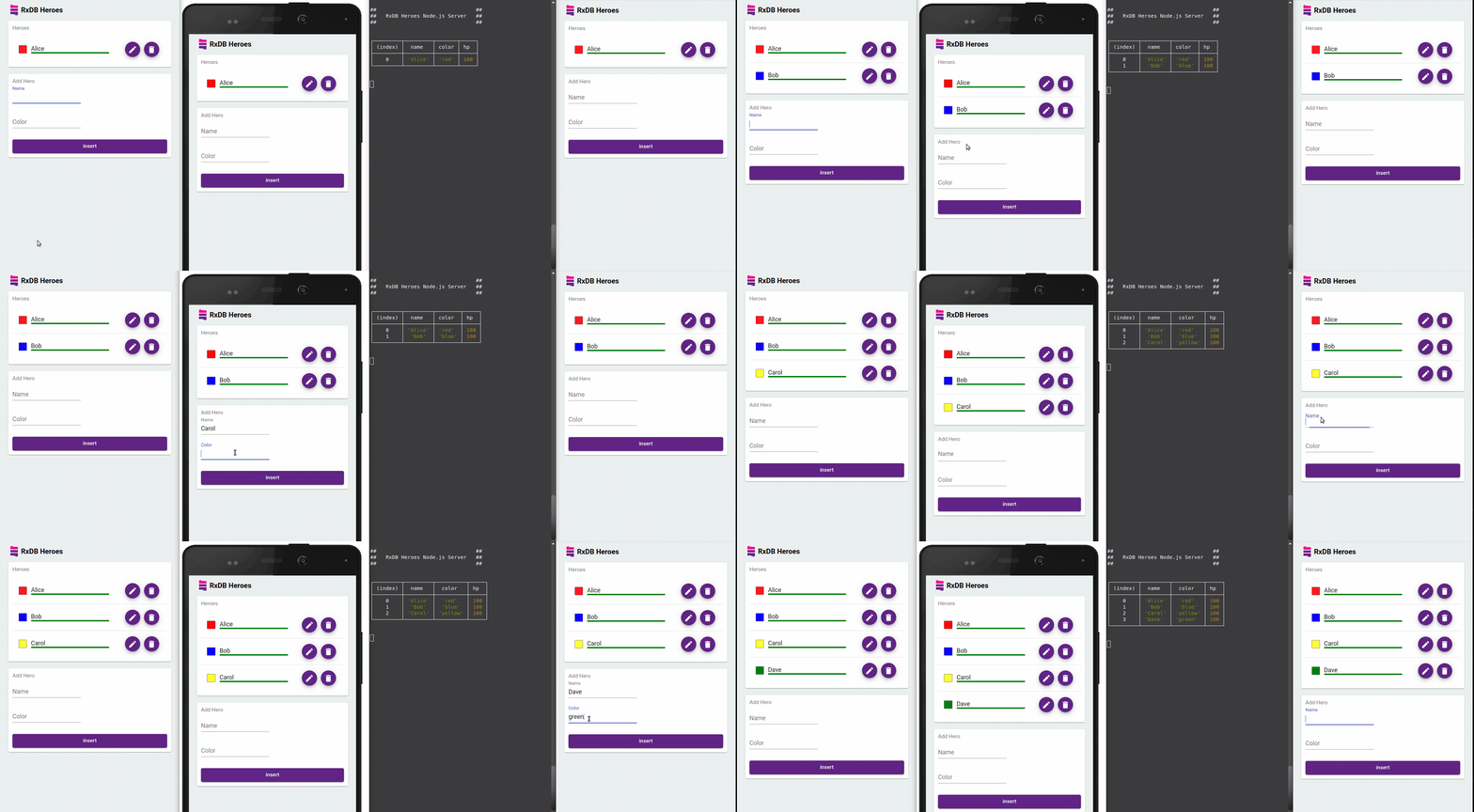
RxDB provides an easy to implement, battle-tested Sync Engine for realtime replication with your existing infrastructure. You do not have to use a specific cloud or backend database. The protocol works by implementing three simple HTTP endpoints. There are also production-ready plugins to easily replicate with GraphQL, CouchDB, Websocket, WebRTC (P2P), Supabase, Firestore, NATS or Google Drive.
RxDB is based on a storage interface that enables you to swap out the underlying storage engine. This increases code reuse because the same database code can be used in different JavaScript environments by just switching out the storage settings.
You can use RxDB on top of LocalStorage, IndexedDB, OPFS, LokiJS, Dexie.js, in-memory, SQLite, in a WebWorker thread and even on top of FoundationDB and DenoKV.
No matter what kind of runtime you have, as long as it runs JavaScript, it can run RxDB:
Since its beginning in 2018, RxDB has gained a huge set of features and plugins which makes it a flexible full solution regardless of which type of application you are building. Every feature that you need now or might need in the future is already there.
npm install rxdb rxjs --save
import {
    createRxDatabase
} from 'rxdb/plugins/core';

/**
 * For browsers, we use the localstorage based storage.
 * In other JavaScript runtimes, we can use different storages:
 * @link https://rxdb.info/rx-storage.html
 */
import {
    getRxStorageLocalstorage
} from 'rxdb/plugins/storage-localstorage';

// create a database
const db = await createRxDatabase({
    name: 'heroesdb', // the name of the database
    storage: getRxStorageLocalstorage()
});

// add collections with a schema
await db.addCollections({
  heroes: {
    schema: {
      version: 0,
      primaryKey: 'name',
      type: 'object',
      properties: {
        name: {
          type: 'string',
          maxLength: 100
        },
        healthpoints: {
          type: 'number'
        }
      },
      required: ['name', 'healthpoints']
    }
  }
});

// insert a document
await db.heroes.insert({
  name: 'Bob',
  healthpoints: 100
});
const aliveHeroes = await db.heroes.find({
  selector: {
    healthpoints: {
      $gt: 0
    }
  }
}).exec(); // the exec() returns the result once
await db.heroes.find({
  selector: {
    healthpoints: {
      $gt: 0
    }
  }
})
.$ // the $ returns an observable that emits each time the result set of the query changes
.subscribe(aliveHeroes => console.dir(aliveHeroes));
Get started now by reading the docs or exploring the example-projects.
Angular Database, Frontend Database, localStorage, React Database, Browser Database, React Native Database, PWA Database, In-memory NoSQL database, JSON database, Angular IndexedDB, React IndexedDB, Optimistic UI, local database, React Native Encryption, Vue Database, jQuery Database, Vue IndexedDB, Firestore Alternative, Firebase Realtime Database Alternative, Ionic Storage, Electron SQLite, TanStack DB Offline
View llms.txt
No comments yet. Set the tone — say what you would want to know.