lfnovo/
View on GitHubAn Open Source implementation of Notebook LM with more flexibility and features
An Open Source implementation of Notebook LM with more flexibility and features




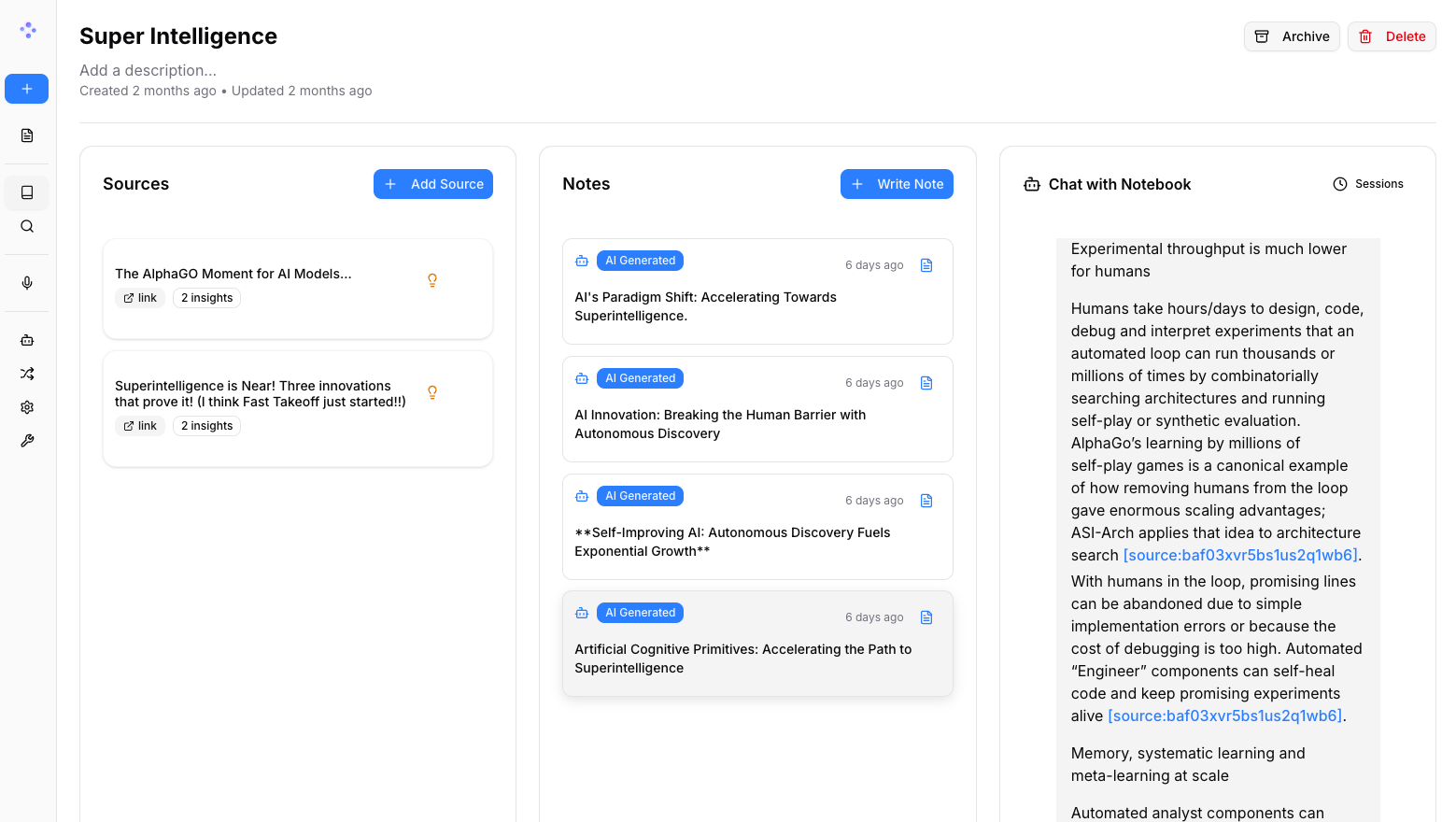
In a world dominated by Artificial Intelligence, having the ability to think 🧠 and acquire new knowledge 💡, is a skill that should not be a privilege for a few, nor restricted to a single provider.
Open Notebook empowers you to:
Learn more about our project at https://www.open-notebook.ai
| Feature | Open Notebook | Google Notebook LM | Advantage | |---------|---------------|--------------------|-----------| | Privacy & Control | Self-hosted, your data | Google cloud only | Complete data sovereignty | | AI Provider Choice | 18+ providers (OpenAI, Anthropic, Ollama, LM Studio, etc.) | Google models only | Flexibility and cost optimization | | Podcast Speakers | 1-4 speakers with custom profiles | 2 speakers only | Extreme flexibility | | Content Transformations | Custom and built-in | Limited options | Unlimited processing power | | API Access | Full REST API | No API | Complete automation | | Deployment | Docker, cloud, or local | Google hosted only | Deploy anywhere | | Citations | Basic references (will improve) | Comprehensive with sources | Research integrity | | Customization | Open source, fully customizable | Closed system | Unlimited extensibility | | Cost | Pay only for AI usage | Free tier + Monthly subscription | Transparent and controllable |
Why Choose Open Notebook?



Option A: Download directly
curl -o docker-compose.yml https://raw.githubusercontent.com/lfnovo/open-notebook/main/docker-compose.yml
Option B: Create the file manually
Copy this into a new file called docker-compose.yml:
services:
  surrealdb:
    image: surrealdb/surrealdb:v2
    # Credentials default to root:root for a zero-config local setup. Before
    # exposing this instance to a network, set SURREAL_USER / SURREAL_PASSWORD
    # in a .env file (see .env.example) — they are applied here and to the
    # open_notebook service below, so the two always stay in sync.
    # List (exec) form so each interpolated value stays a single argument —
    # a password containing spaces would otherwise be split into several.
    command: ["start", "--log", "info", "--user", "${SURREAL_USER:-root}", "--pass", "${SURREAL_PASSWORD:-root}", "rocksdb:/mydata/mydatabase.db"]
    user: root  # Required for bind mounts on Linux
    ports:
      # Bound to localhost only: the open_notebook service reaches this over
      # the internal compose network regardless, so the host port is purely
      # for local debugging (e.g. Surrealist, `surreal sql`). Exposing this
      # on 0.0.0.0 would let anyone who can reach the host connect with the
      # default root:root credentials.
      - "127.0.0.1:8000:8000"
    volumes:
      - ./surreal_data:/mydata
    environment:
      - SURREAL_EXPERIMENTAL_GRAPHQL=true
    restart: always
    pull_policy: always

  open_notebook:
    image: lfnovo/open_notebook:v1-latest
    ports:
      - "8502:8502"  # Web UI
      - "5055:5055"  # REST API
    environment:
      # REQUIRED: Change this to your own secret string
      # This encrypts your API keys in the database
      - OPEN_NOTEBOOK_ENCRYPTION_KEY=change-me-to-a-secret-string

      # Database connection. SURREAL_USER / SURREAL_PASSWORD default to root:root
      # for local use; override them in a .env file before exposing the instance
      # (the same values configure the surrealdb service above).
      - SURREAL_URL=ws://surrealdb:8000/rpc
      - SURREAL_USER=${SURREAL_USER:-root}
      - SURREAL_PASSWORD=${SURREAL_PASSWORD:-root}
      - SURREAL_NAMESPACE=open_notebook
      - SURREAL_DATABASE=open_notebook
    volumes:
      - ./notebook_data:/app/data
    depends_on:
      - surrealdb
    restart: always
    pull_policy: always
Edit docker-compose.yml and change this line:
- OPEN_NOTEBOOK_ENCRYPTION_KEY=change-me-to-a-secret-string
to any secret value (e.g., my-super-secret-key-123)
docker compose up -d
Wait 15-20 seconds, then open: http://localhost:8502
Done! You're ready to create your first notebook.
Need an API key? Get one from: OpenAI · Anthropic · Google · Groq (free tier)
Want free local AI? See examples/docker-compose-ollama.yml for Ollama setup
Thanks to the Esperanto library, we support this providers out of the box!
| Provider | LLM Support | Embedding Support | Speech-to-Text | Text-to-Speech | |--------------|-------------|------------------|----------------|----------------| | OpenAI | ✅ | ✅ | ✅ | ✅ | | Anthropic | ✅ | ❌ | ❌ | ❌ | | Groq | ✅ | ❌ | ✅ | ❌ | | Google (GenAI) | ✅ | ✅ | ✅ | ✅ | | Vertex AI | ✅ | ✅ | ❌ | ✅ | | Ollama | ✅ | ✅ | ❌ | ❌ | | oMLX | ✅ | ✅ | ❌ | ❌ | | Perplexity | ✅ | ❌ | ❌ | ❌ | | ElevenLabs | ❌ | ❌ | ✅ | ✅ | | Deepgram | ❌ | ❌ | ✅ | ✅ | | Azure OpenAI | ✅ | ✅ | ✅ | ✅ | | Mistral | ✅ | ✅ | ✅ | ✅ | | DeepSeek | ✅ | ❌ | ❌ | ❌ | | Cohere | ✅ | ✅ | ❌ | ❌ | | Voyage | ❌ | ✅ | ❌ | ❌ | | xAI | ✅ | ❌ | ❌ | ✅ | | OpenRouter | ✅ | ✅ | ✅ | ✅ | | DashScope (Qwen) | ✅ | ❌ | ❌ | ❌ | | MiniMax | ✅ | ❌ | ❌ | ❌ | | Novita | ✅ | ❌ | ❌ | ❌ | | PayPerQ (PPQ) | ✅ | ✅ | ✅ | ✅ | | OpenAI Compatible* | ✅ | ✅ | ✅ | ✅ |
*Supports LM Studio and any OpenAI-compatible endpoint. Prefer the native oMLX provider for oMLX (Apple Silicon); see docs/5-CONFIGURATION/omlx.md.


Explore GitHub Discussions for proposed features and product ideas, and open Issues for known bugs and approved work.
We welcome contributions! We're especially looking for help with:
Current Tech Stack: Python, FastAPI, Next.js, React, SurrealDB Future Roadmap: Real-time updates, enhanced async processing
See our Contributing Guide for detailed information on how to get started, including our guidelines for AI-assisted contributions. To understand what we're building (and what we'll say no to), read VISION.md.
Open Notebook is MIT licensed. See the LICENSE file for details.
Community Support:

No comments yet. Set the tone — say what you would want to know.