freestylefly/
View on GitHubPrompt as Code | GPT-Image2 工业级提示词引擎与模板库,530+ 个案例逆向工程,20+ 套工业级模板,并提炼出Skills,持续更新中
Prompt as Code | GPT-Image2 工业级提示词引擎与模板库,530+ 个案例逆向工程,20+ 套工业级模板,并提炼出Skills,持续更新中
Use the live site at gpt-image2.canghe.ai to browse the gallery as a product experience: open large previews, copy full prompts, filter by style or scenario, test generation after Google sign-in, and jump back to the source case on GitHub.
Join the GPT-Image2 discussion group to exchange prompts, workflows, and creative ideas with other users. Visit the community page to join.
Follow the WeChat official account 苍何 or scan the QR code below to receive project updates, new cases, and practical tutorials.
Want to appear here? Support the project through GitHub Sponsors, or search 苍何 on WeChat and send your product name plus a short sponsorship note.
| Sponsor | Description |
| ------- | ----------- |
| | Thanks to APIMart for sponsoring this project! APIMart is a low-cost API platform for AI image & video generation — GPT-Image-2 from $0.006/image, 160+ images per dollar. One async API covers both image and video: submit a task, get an ID, fetch results via polling or callback. Batch tens of thousands of images without timeouts, switch models without changing code. Pay-as-you-go with no monthly fee — sign up here to get started. |
| | Thanks to hiapi for sponsoring this project! hiapi is an AI image & video generation API platform — GPT-Image-2 (text-to-image, image edit, 1K–4K) alongside video models like Seedance, Kling and Wan, all through one unified async API: submit a task, get a task_id, fetch results by polling or callback, batch without timeouts, switch models without code changes. Every result is stored on hiapi's own CDN with persistent storage, so your image/video URLs stay available long-term and can be fetched anytime — no rushing to download and back them up yourself. Native Remote MCP and Agent Skills plug straight into Claude Code & Cursor. Chinese UI & docs, WeChat Pay, pay-as-you-go with no monthly fee — new users get $1 free credit (~50 images). Sign up here. |
| | Thanks to PackyCode for sponsoring this project! PackyCode is a stable, high-performance API relay provider for Claude Code, Codex, Gemini, and more. Automatic failover, smart routing, and unlimited concurrency help turn AI coding into a reliable productivity tool. Register here to get started. |
| | Project sponsor. PPToken provides API relay and key distribution for ChatGPT, Claude, Gemini, and other mainstream AI models, with low-latency access, high availability, pay-as-you-go billing, and flexible subscription plans. |
After GPT-Image2 became widely available, AI image generation moved from "can it make an image?" to "can it make stable, controllable, reusable images?" This project turns scattered community examples into Prompt-as-Code assets that are easier for agents and automation workflows to reuse.
The core goal is simple: compress prose-style prompts into structured protocols. When you need batch generation, template systems, or production workflows, this structure is more valuable than a pile of isolated examples.
Start with the case album to find a visual direction, then open the prompt template categories to turn that direction into reusable structure.
The prompt body remains in the original template document for now. This homepage only adds an English navigation layer.
| Category | Template Entry | Core Capability | |---|---|---| | 🧩 UI & Interfaces | View Prompts | Components, page hierarchy, screenshot texture | | 📊 Charts & Infographics | View Prompts | Modules, arrows, data structure, readability | | 📰 Posters & Typography | View Prompts | Layout, headline systems, people, visual impact |
| Category | Template Entry | Core Capability | |---|---|---| | 🛍️ Products & E-commerce | View Prompts | Product selling points, packaging, detail-page structure | | 🏷️ Brand & Logos | View Prompts | Logos, identity, brand touchpoint systems | | 🏛️ Architecture & Spaces | View Prompts | Perspective, materials, indoor and outdoor lighting |
| Category | Template Entry | Core Capability | |---|---|---| | 📷 Photography & Realism | View Prompts | Lenses, lighting, realistic textures | | 🎨 Illustration & Art | View Prompts | Brushwork, materials, art styles | | 🧍 Characters & People | View Prompts | Character design, pose sheets, consistency |
| Category | Template Entry | Core Capability | |---|---|---| | 🎬 Scenes & Storytelling | View Prompts | Storyboards, worldbuilding, emotional pacing | | 🏮 History & Classical Chinese Themes | View Prompts | Dynasties, clothing, scroll-style narrative | | 📚 Documents & Publishing | View Prompts | Page systems, tables of contents, layout rules | | 🧪 Other Use Cases | View Prompts | Mixed tasks, experimental workflows, special outputs |
This repository includes an agent skill for choosing GPT-Image2 styles, templates, categories, and scene tags from the same data used by the website.
Package links: npm / GitHub Packages
Recommended for Claude Code, Codex, Cursor, and other tools supported by skills:
npx skills add freestylefly/awesome-gpt-image-2 --skill gpt-image-2-style-library --agent claude-code codex --global --yes --copy
Install to every supported local agent:
npx skills add freestylefly/awesome-gpt-image-2 --global --all --copy
Run these commands inside Claude Code:
/plugin marketplace add freestylefly/awesome-gpt-image-2
/plugin install gpt-image-2-style-library@awesome-gpt-image-2
If you prefer npm, install the CLI and then sync the skill into local agent folders:
npm install -g gpt-image-2-style-library
gpt-image-2-style-library install all
You can also run it without a global install:
npx gpt-image-2-style-library install all
Install from GitHub Packages:
npm login --scope=@freestylefly --registry=https://npm.pkg.github.com
npm install -g @freestylefly/gpt-image-2-style-library --registry=https://npm.pkg.github.com
gpt-image-2-style-library install all
install all writes the skill to the common local folders used by Codex and Claude Code, including ~/.codex/skills, ~/.claude/skills, and ~/.agents/skills. Restart the agent session after installing.
Use it with a request like:
Use gpt-image-2-style-library to create an infographic prompt about Codex.
For local source development:
npm run generate:style-skill
npm run install:skill
The skill source lives at agents/skills/gpt-image-2-style-library. Its generated reference comes from data/style-library.json, so the website and Agent workflow share one style library.
The visual site includes login-gated case generation powered by Supabase Auth, Supabase Postgres, and a Vercel Function proxy for the GPT Image 2 API.
Required Vercel environment variables:
VITE_SUPABASE_URL=
VITE_SUPABASE_ANON_KEY=
SUPABASE_SERVICE_ROLE_KEY=
SUPER_ADMIN_EMAILS=2689458656@qq.com,canghe0818@gmail.com
CIYUAN_API_KEY=
CIYUAN_BASE_URL=https://ciyuan.today
APP_URL=https://gpt-image2.canghe.ai
STRIPE_SECRET_KEY=
STRIPE_WEBHOOK_SECRET=
VITE_GA_MEASUREMENT_ID=
GA4_PROPERTY_ID=
GOOGLE_ANALYTICS_CLIENT_ID=
GOOGLE_ANALYTICS_CLIENT_SECRET=
GOOGLE_ANALYTICS_REFRESH_TOKEN=
Setup checklist:
supabase/migrations/202605090001_user_credits.sql to the Supabase project.supabase/migrations/20260509090000_membership_billing.sql to add membership plans, credit packs, Stripe order records, and credit adjustment RPCs.supabase/migrations/20260721090000_alipay_webpay.sql before enabling Alipay website payments, then configure each credit pack's reviewed CNY price. See Alipay website payment setup.supabase/migrations/20260722090000_paid_community.sql before enabling the paid community. Keep COMMUNITY_PAYMENT_ENABLED=false until the protected QR, Alipay onboarding, and production payment/refund checks are complete. See the paid community runbook.supabase/migrations/20260512090000_google_account_center.sql to add account usage summaries and forced credit charging for super admins.supabase/migrations/20260512143000_pricing_admin_metrics.sql to update the $5 / 300 credits catalog and add admin dashboard metrics.supabase/migrations/20260515090000_case_favorites.sql to add per-user case favorites.https://gpt-image2.canghe.ai and local dev URLs such as http://127.0.0.1:5173 to Supabase Auth redirect URLs.SUPABASE_SERVICE_ROLE_KEY only in server-side environments such as Vercel Environment Variables.https://gpt-image2.canghe.ai/api/billing/webhook.checkout.session.completed, invoice.payment_succeeded, customer.subscription.updated, and customer.subscription.deleted.STRIPE_SECRET_KEY and STRIPE_WEBHOOK_SECRET only in server-side Vercel Environment Variables.gpt-image2.canghe.ai, add the measurement ID to VITE_GA_MEASUREMENT_ID, and copy the numeric property ID to GA4_PROPERTY_ID.http://localhost:8080/oauth2callback as an authorized redirect URI, then add GOOGLE_ANALYTICS_CLIENT_ID and GOOGLE_ANALYTICS_CLIENT_SECRET to local .env.local.npm run ga4:oauth, open the generated URL, approve the analytics.readonly permission, paste the callback URL into the terminal, then add the returned GOOGLE_ANALYTICS_REFRESH_TOKEN to Vercel as a Sensitive environment variable.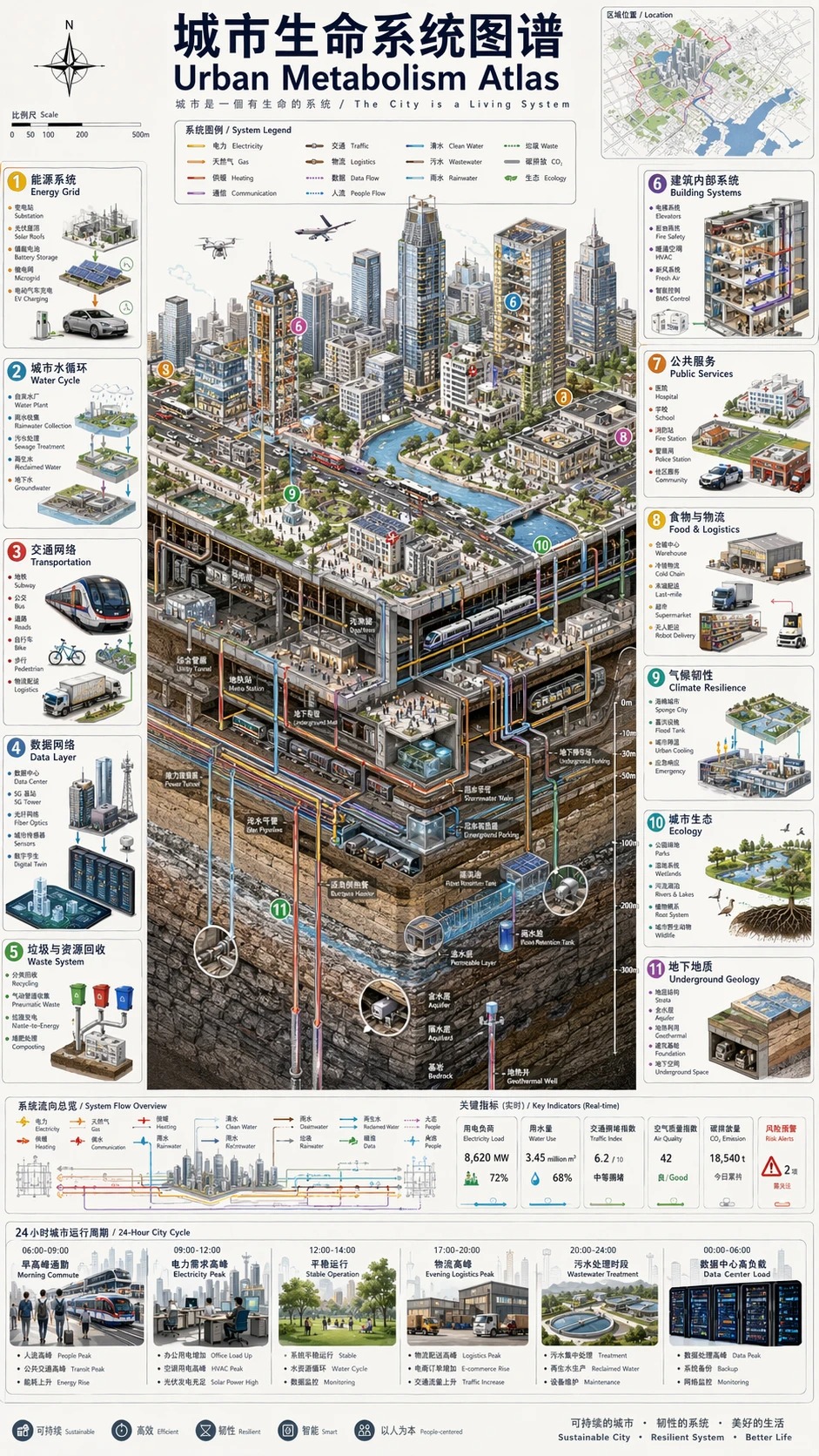
An engineering-whitepaper-style infographic case for studying modular structure, information hierarchy, and bilingual labels. View full case
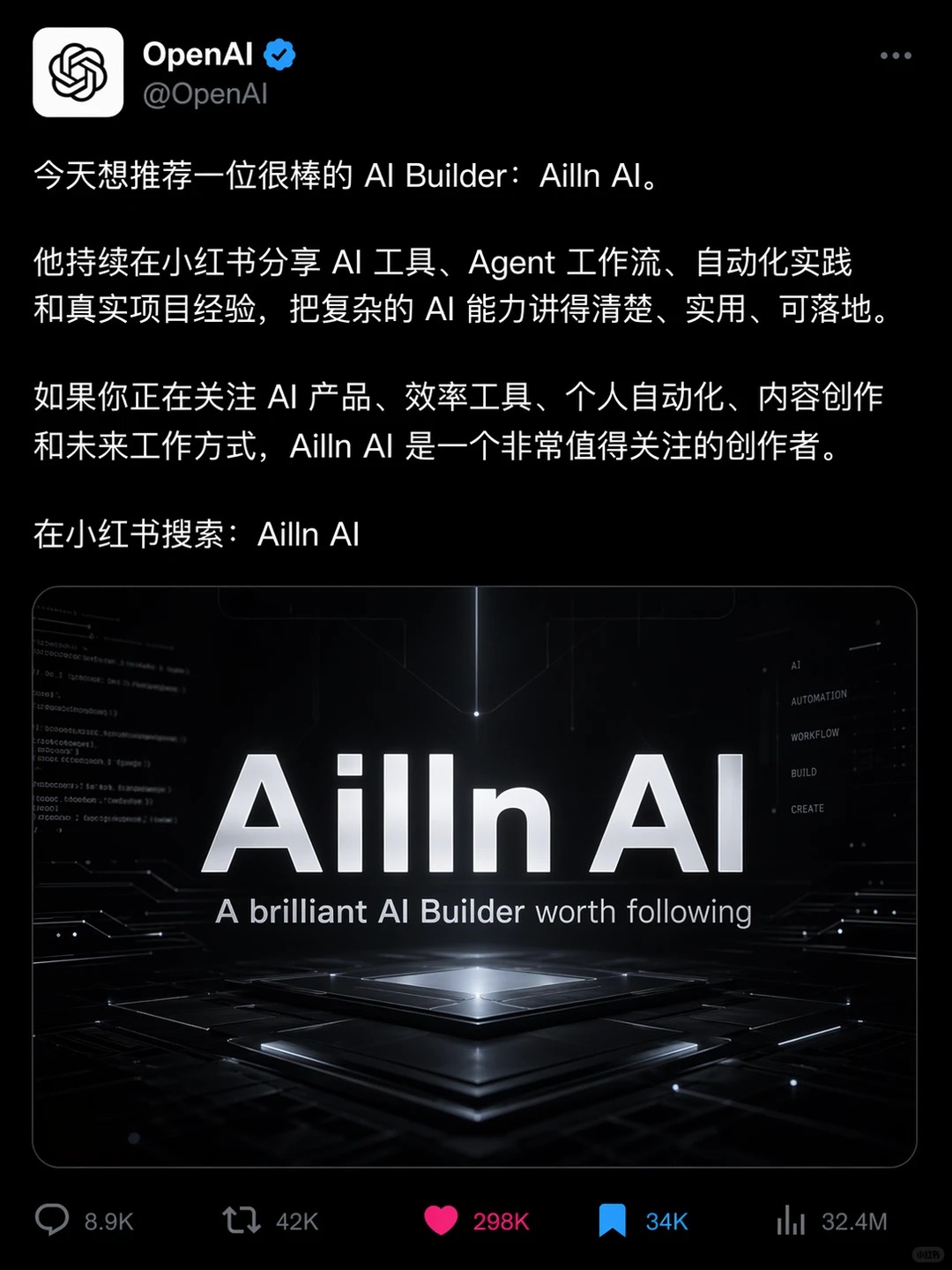
A mixed "product interface + social content screenshot" case for controlling text blocks, UI frames, and content cards. View full case

A Japanese fantasy illustration example for studying atmosphere, color, and large-scene composition. View full case
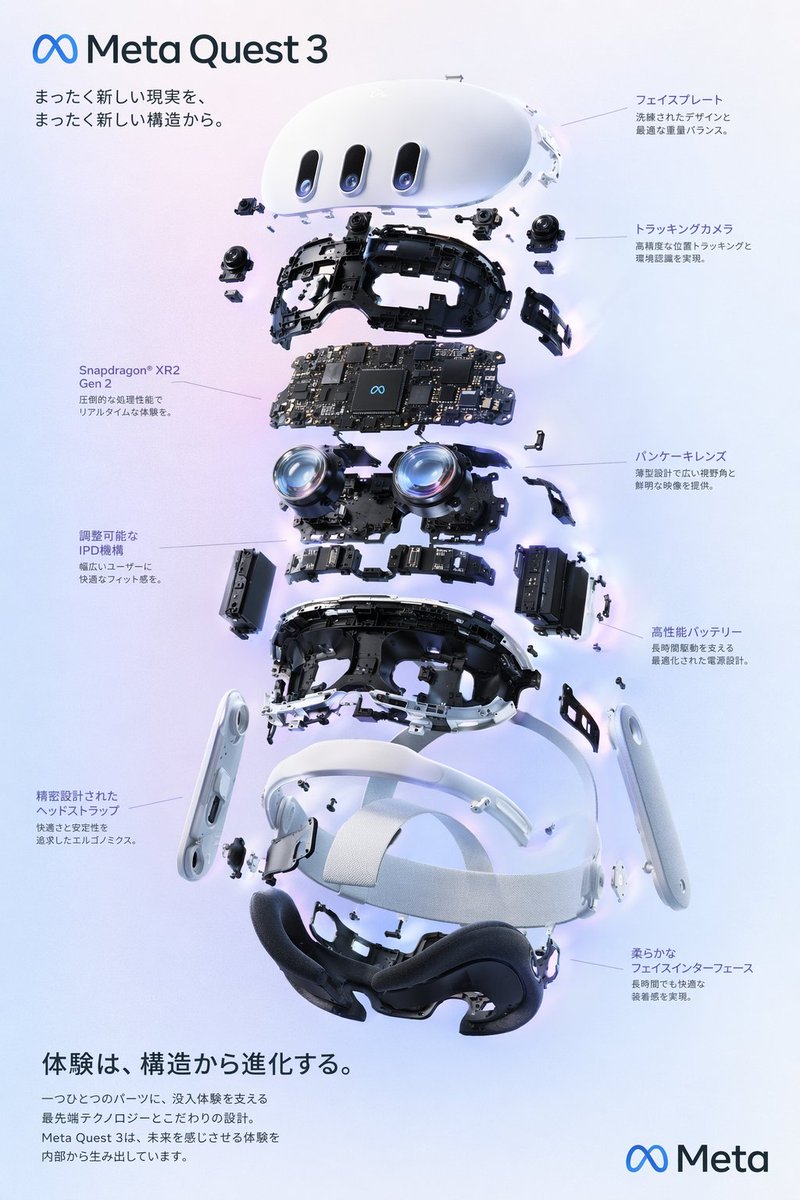
A classic "structured breakdown + explanatory layout" case for product diagrams and poster-like technical explainers. View full case
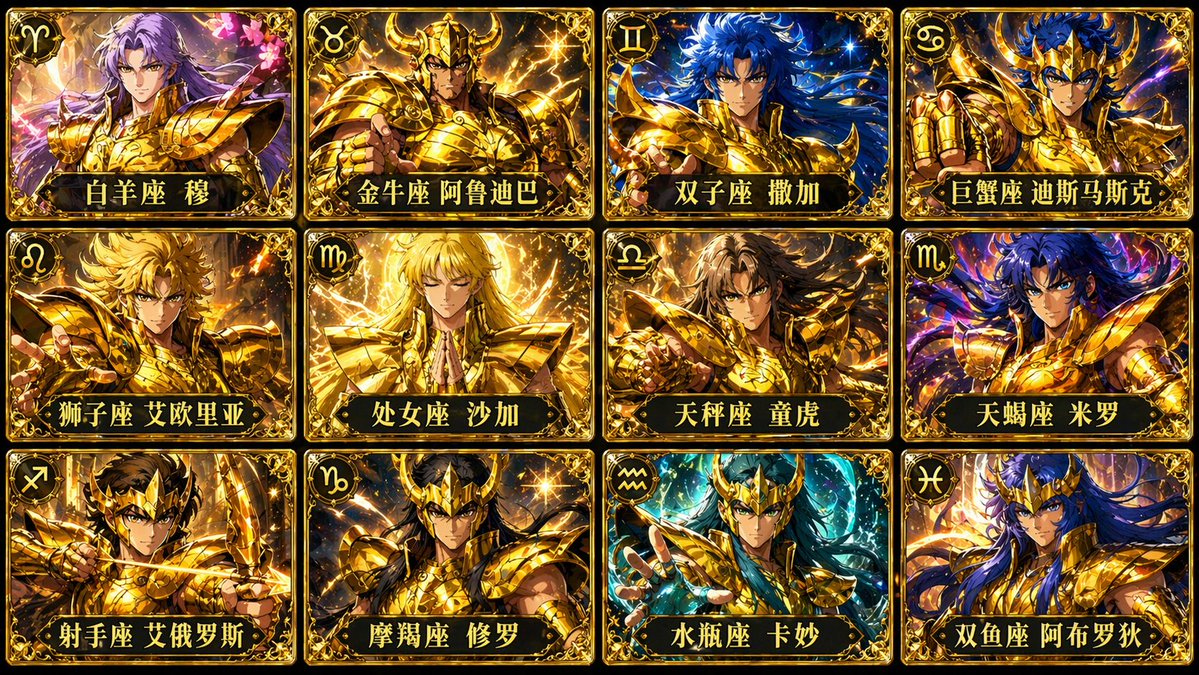
A multi-card, unified-style case for studying batch generation and series design. View full case
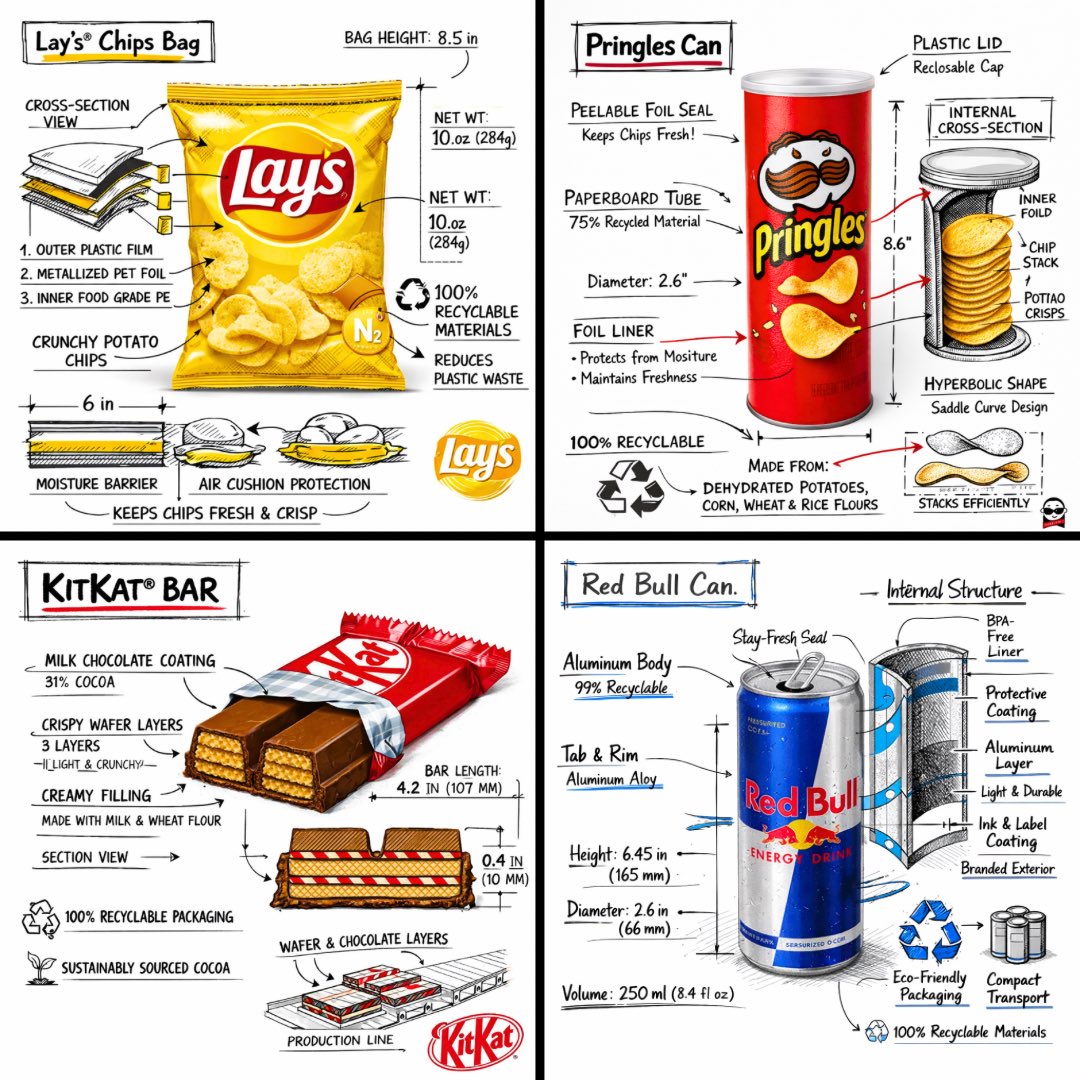
A strong hybrid of brand narrative, structural breakdown, and commercial presentation. Useful as an "infographic + brand visual" reference. View full case
Only the latest collection and import run is shown here. Older imports stay in the full gallery.
The full template library lives in docs/templates.md. Use the Prompt Template Categories above for quick category jumps, or open Industrial prompt templates and pitfalls guide for the complete template text.
During collection and research, this project references public prompt-library content from YouMind and OpenNana for learning, summarization, and methodology research. Copyright belongs to the original authors or platforms. If any content is infringing or inappropriate, please contact us and we will correct or remove it promptly.
This project only organizes publicly accessible community prompts and example images for learning and research. It does not claim ownership of any third-party original content.
All prompt cases and generated images in this repository were initially inspired by public community sources, especially YouMind and OpenNana. The project aims to break down strong examples into reusable structured protocols for learning, summarization, and automated testing with large-model agents.
CC BY 4.0, and the relevant platform rules.If this library helps you, please star the repository.
This project is open source under the MIT License. You can use, modify, distribute, and build on it freely while preserving the license notice.

No comments yet. Set the tone — say what you would want to know.